On this page
Still need help?
Our support team is ready to help.
WorkForce365 Documentation
Attendance Documentation
Understand the Attendance module, its monitoring tools, daily punch workflow, record corrections, and reporting screens.
Purpose and Features
The Attendance module records when employees work, how breaks are used, and whether each day is present, absent, leave, holiday, weekend, or half day. These daily records provide the operational evidence used by monthly summaries and payroll.
Live Monitoring
Dashboard metrics show present, absent, leave, missing punch, active shift, break, and overtime activity.
Record Management
Authorized managers can search, filter, add, inspect, and correct attendance records.
Punch and Break Tracking
Check-in, check-out, break start, and break end events create a timestamped daily history.
Analysis and Reporting
Daily metrics, monthly summaries, employee attendance views, and reports explain work-time results.
Daily Attendance Lifecycle
Daily records combine work activity, approved leave, and the public holiday calendar.
- Check-in starts the employee's work record for the day.
- Break start and end events record time away within the configured allowance.
- Check-out completes the work period and allows worked time to be calculated.
- Managers review exceptions such as missing punches, absence, leave, or holiday status.
Monthly Summary
The monthly view consolidates present days, absences, paid and unpaid leave, holidays, work time, and overtime.
Attendance Screens
These screenshots use synthetic attendance records generated from the current application templates. Select any screenshot to open its full-size image.
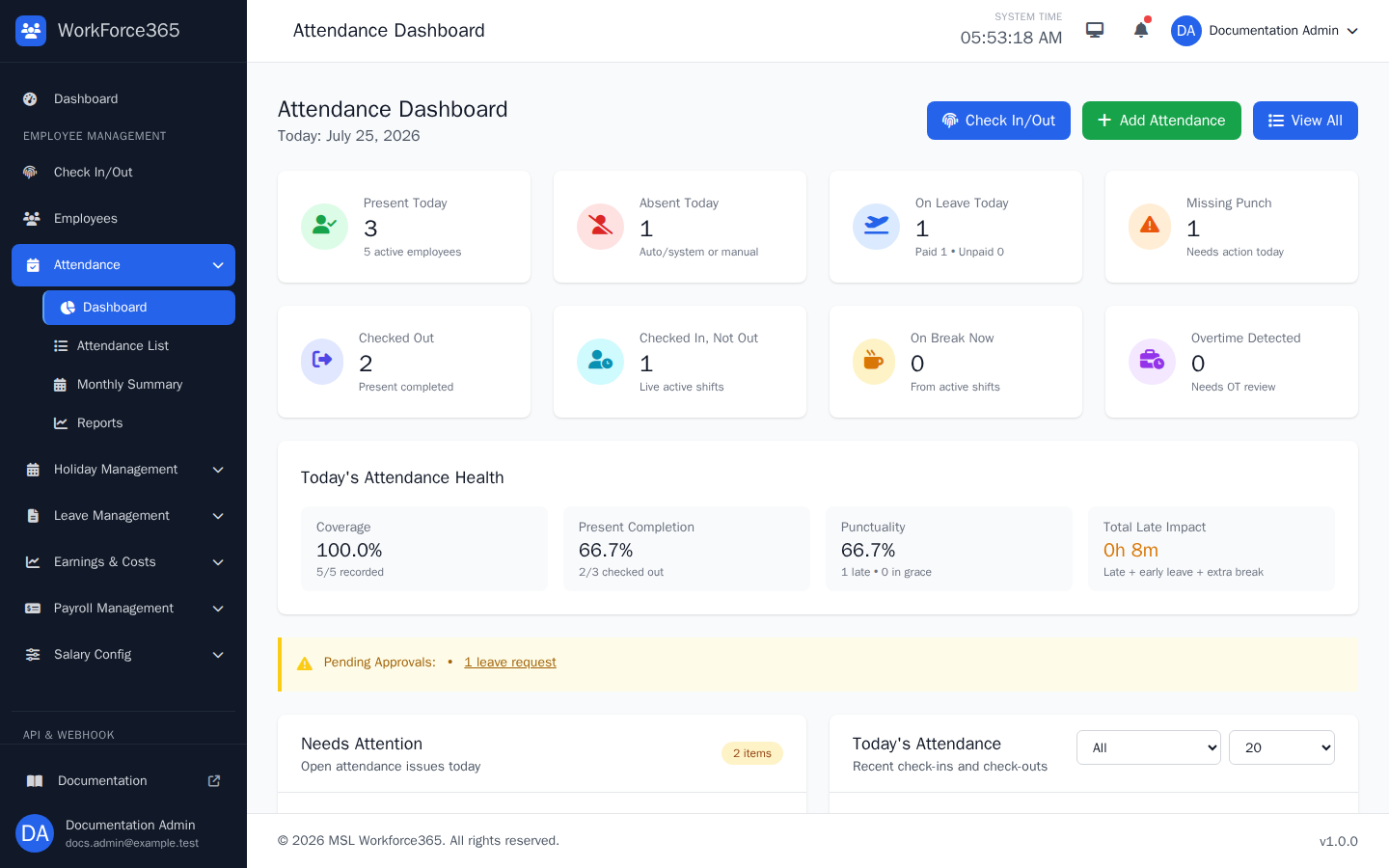
Attendance Dashboard
The dashboard gives managers a live operational summary. It highlights present, absent, leave, missing-punch, checked-out, active-shift, break, overtime, coverage, punctuality, and attention-required information, with shortcuts to Check In/Out, Add Attendance, and the full list.
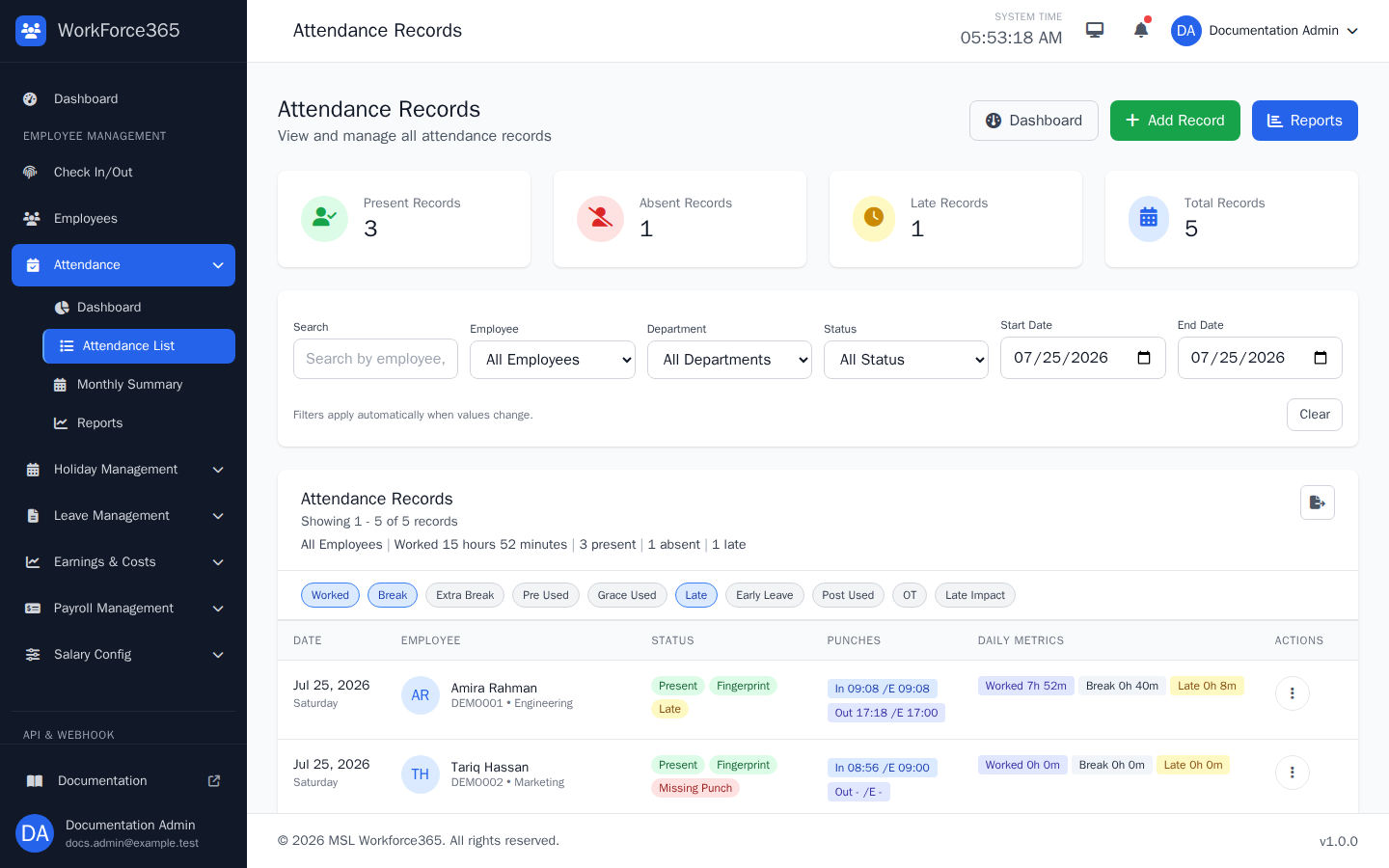
Attendance List
The list combines summary totals with search, employee, department, status, and date filters. Each row shows status, source, punch times, selected daily metrics, and an action menu for viewing or editing the record.
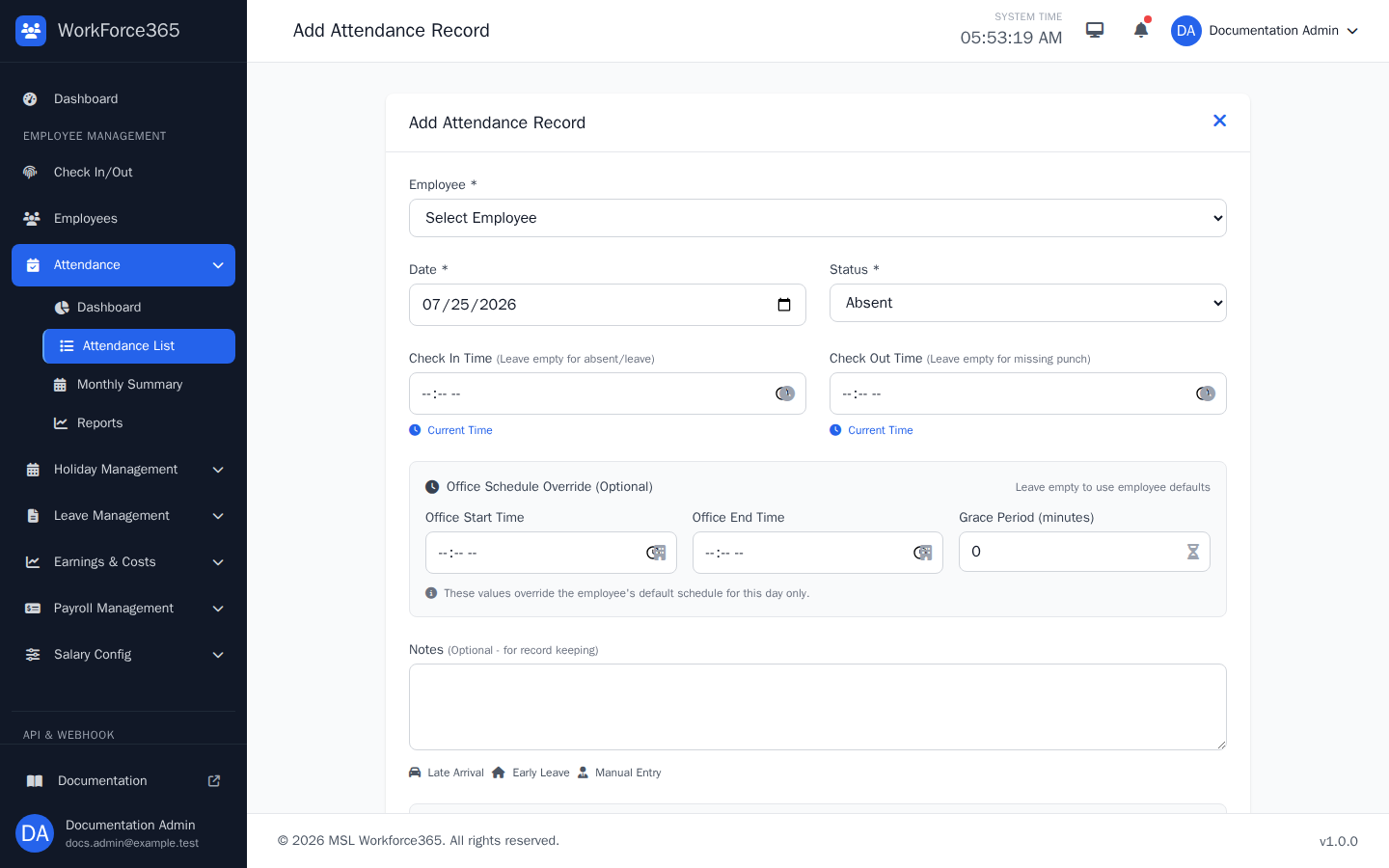
Add Attendance
The manual entry form creates a daily record for a selected employee. Managers can set the date, attendance status, check-in and check-out times, optional schedule overrides, grace period, and notes before saving.
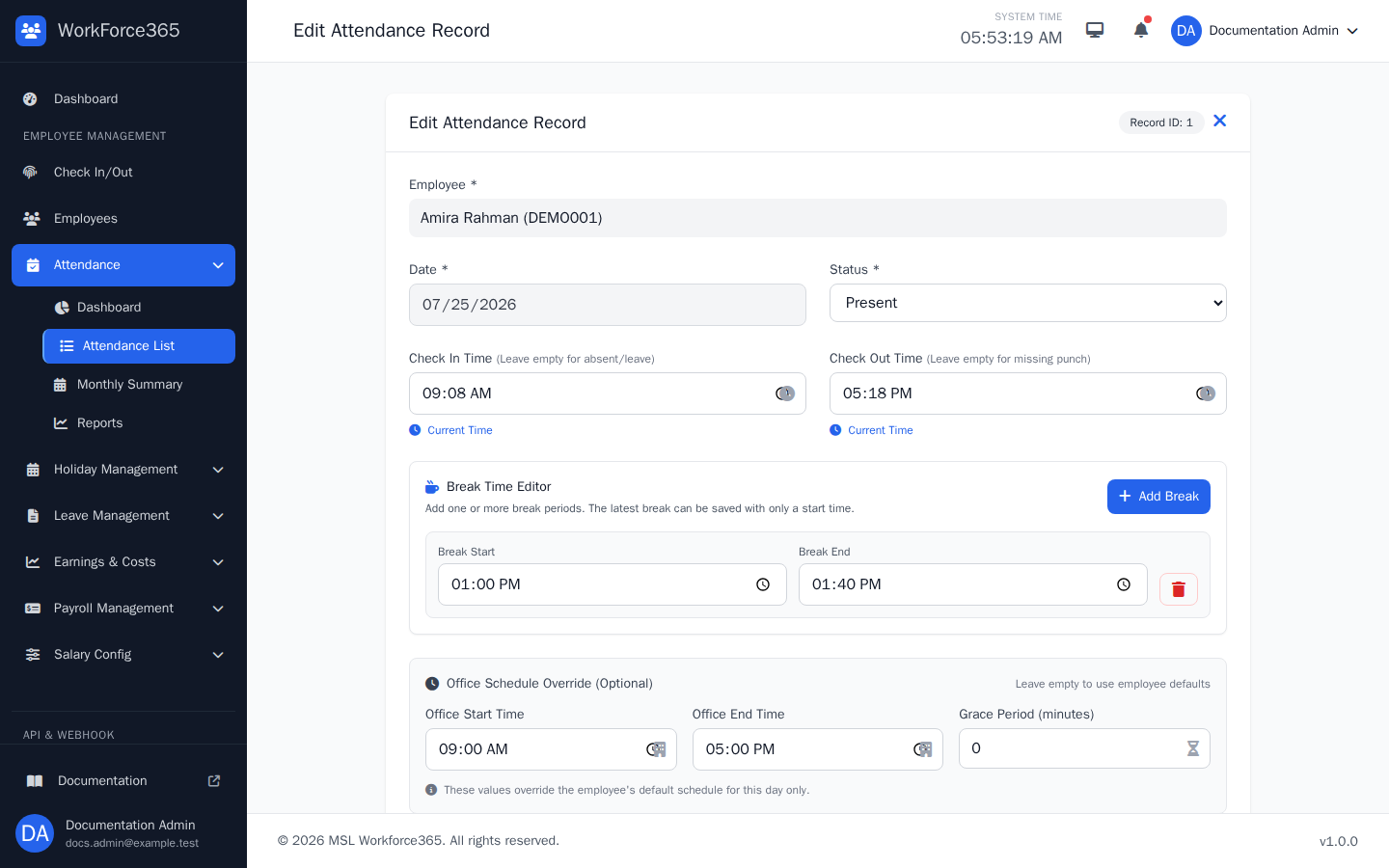
Edit Attendance
The correction form loads the existing daily values. Authorized managers can update status and times, add or remove split break periods, adjust day-specific schedule values, and save the record for recalculation.
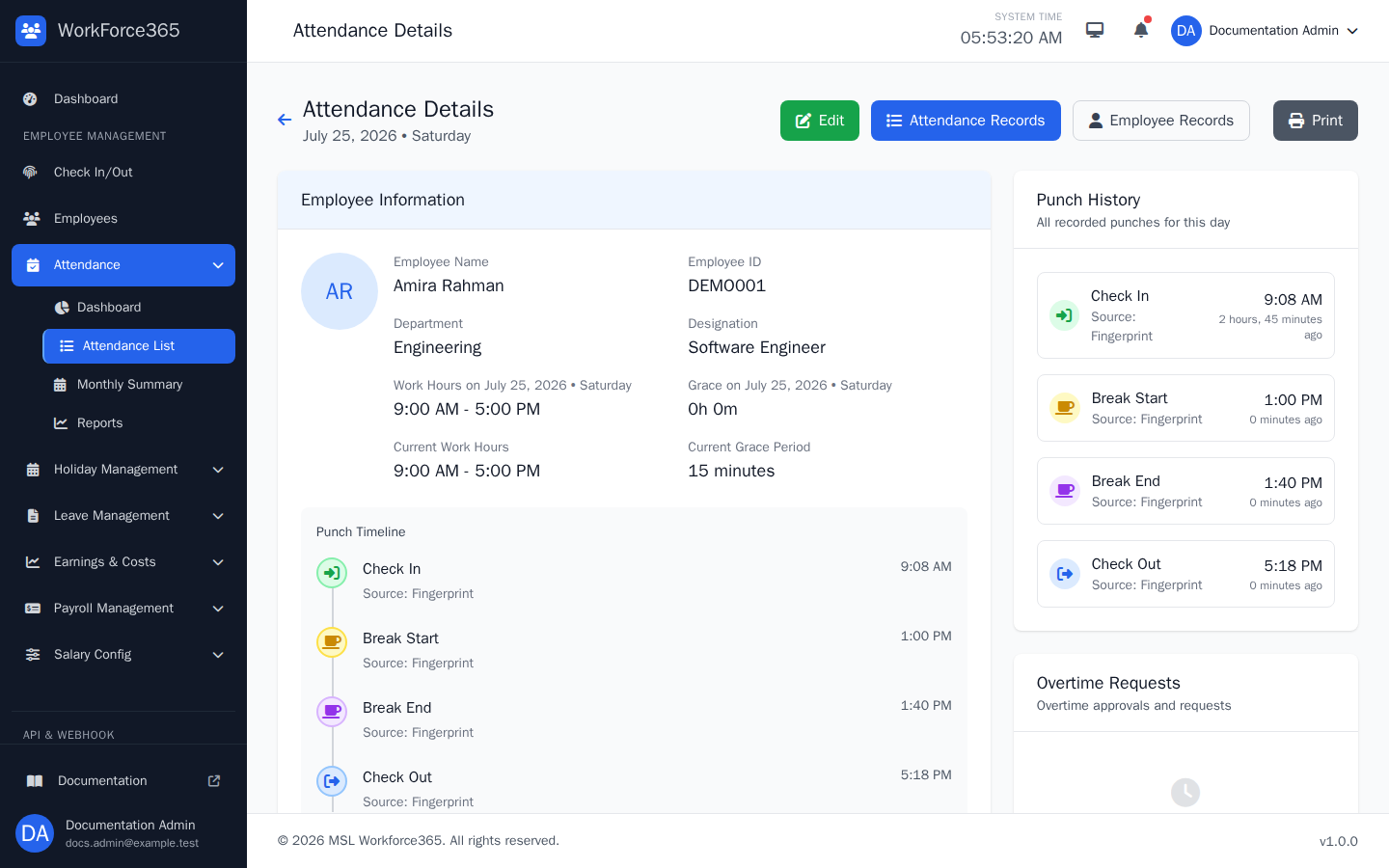
Attendance Details
The detail page explains one attendance day with employee information, policy snapshots, calculated timing metrics, a chronological punch timeline, overtime requests, and links to edit, print, or return to employee and attendance records.
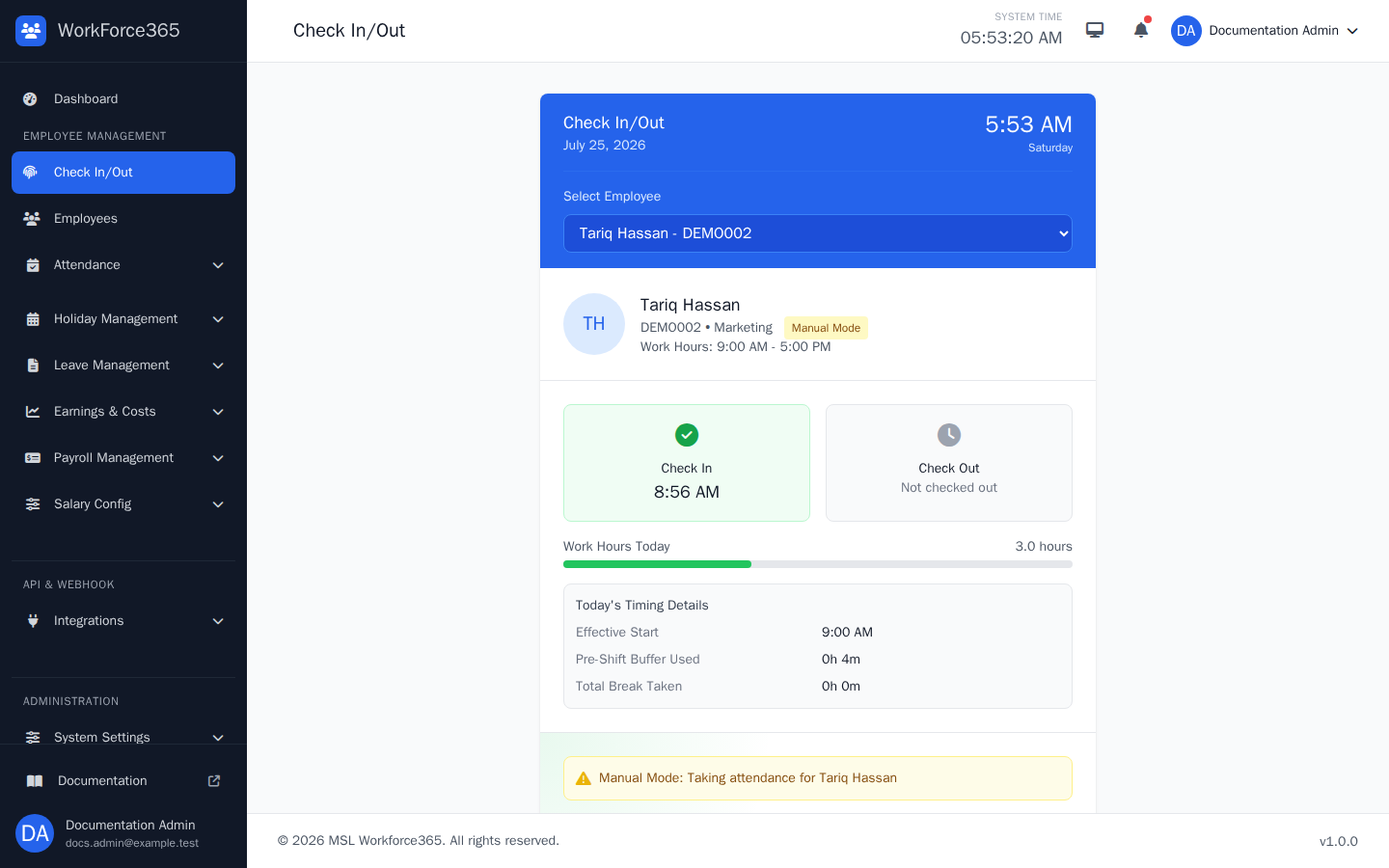
Check In/Out
A single kiosk-style page handles check-in, check-out, break start, and break end. It shows the selected employee, scheduled hours, current shift progress, recorded times, timing details, remaining break availability, and the action currently allowed.