On this page
Still need help?
Our support team is ready to help.
WorkForce365 Documentation
Leave Documentation
Manage leave applications, approvals, leave balances, quotas, and public holidays.
Purpose and Key Features
The Leave module manages employee time-off requests from application through review. It connects leave types, annual balances, approval status, attendance records, and downstream monthly calculations.
Applications
Create paid or unpaid requests with an employee, leave type, date range, and reason.
Balances and Validation
Review available quota and prevent conflicting dates or unsupported paid-leave requests.
Manager Review
Authorized users can inspect pending requests and approve, reject, edit, or securely delete them.
Attendance Integration
Approved requests are reflected as paid or unpaid leave in the relevant attendance period.
Leave Workflow
Applications move from submission through manager review to a final approved or rejected status.
- Select the employee, leave type, start date, end date, payment option, and reason.
- Review the displayed leave balance and submit the request for approval.
- The request remains Pending and can be corrected before an authorized manager completes the review.
- The manager checks the details, then approves or rejects the application.
- An approved request updates the applicable leave balance and attendance records.
- Attendance summaries and payroll use the final paid or unpaid leave result for the affected period.
Leave List Controls
Use the list controls to find the correct request and perform only the actions available for its status.
Search and Filters
Managers can locate an employee with the Employee selector and narrow results by Status and Leave Type. Filter applies the selection; Clear restores the full list.
Status Badges
Pending, Approved, Rejected, and Cancelled badges make each request's current state easy to scan.
Record Information
The table shows employee, leave type, period, calendar duration, chargeable duration, status, and application time.
Action Menu
View Details is always available. Pending requests can be edited, approved, or rejected; authorized managers can also start the protected delete process.
Leave Application Screens
These screenshots use synthetic documentation records and are generated from the current Leave application templates. Select a screenshot to open the full-size image.
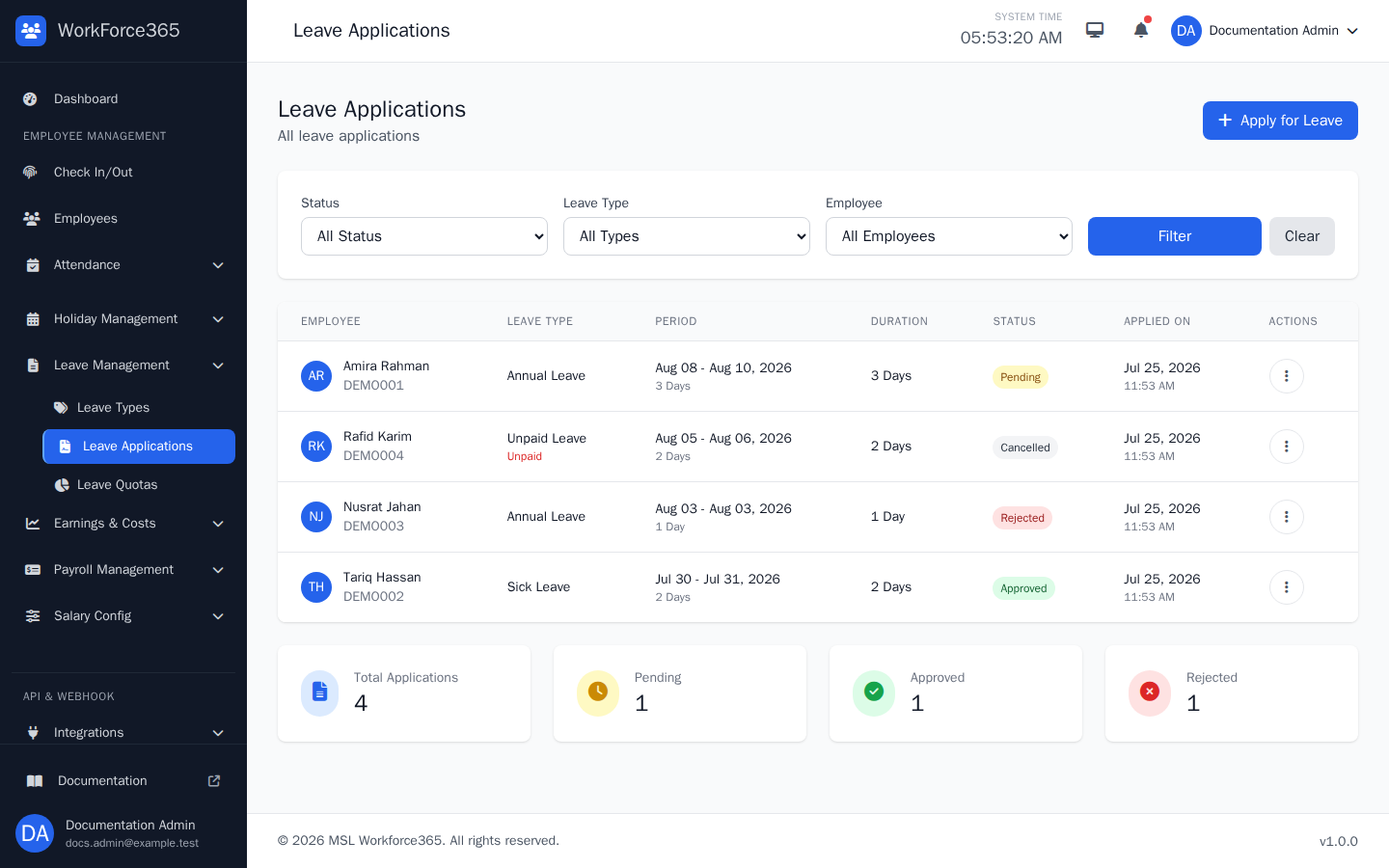
Leave List
The list brings all permitted leave applications together. Use status, leave type, and employee filters to narrow the table, then open the action menu to view, edit, approve, reject, or securely delete a request when permitted.
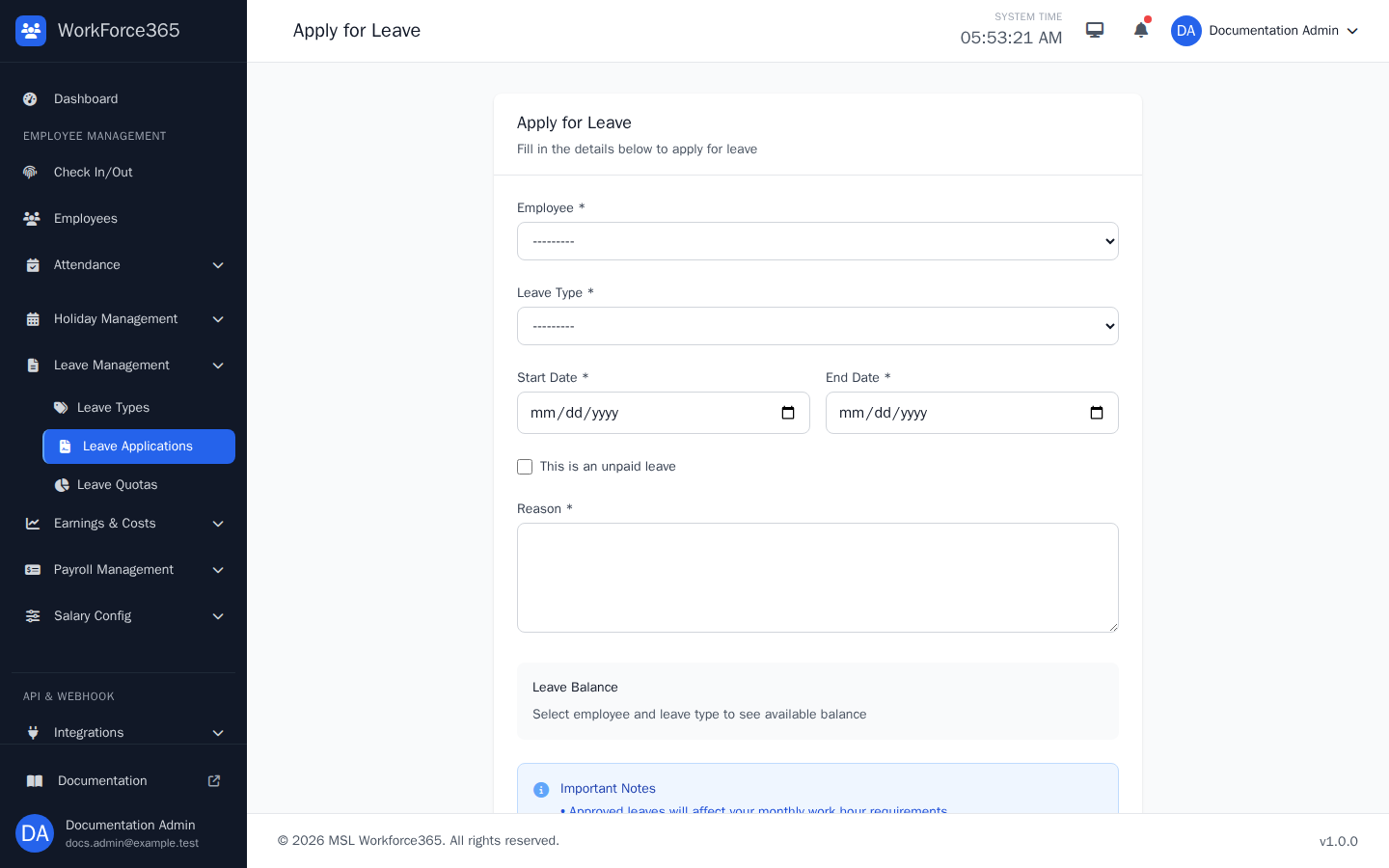
Apply Leave
Create a request by selecting the employee and leave type, entering the date range and reason, and choosing unpaid leave when applicable. The balance panel helps verify availability before submission.
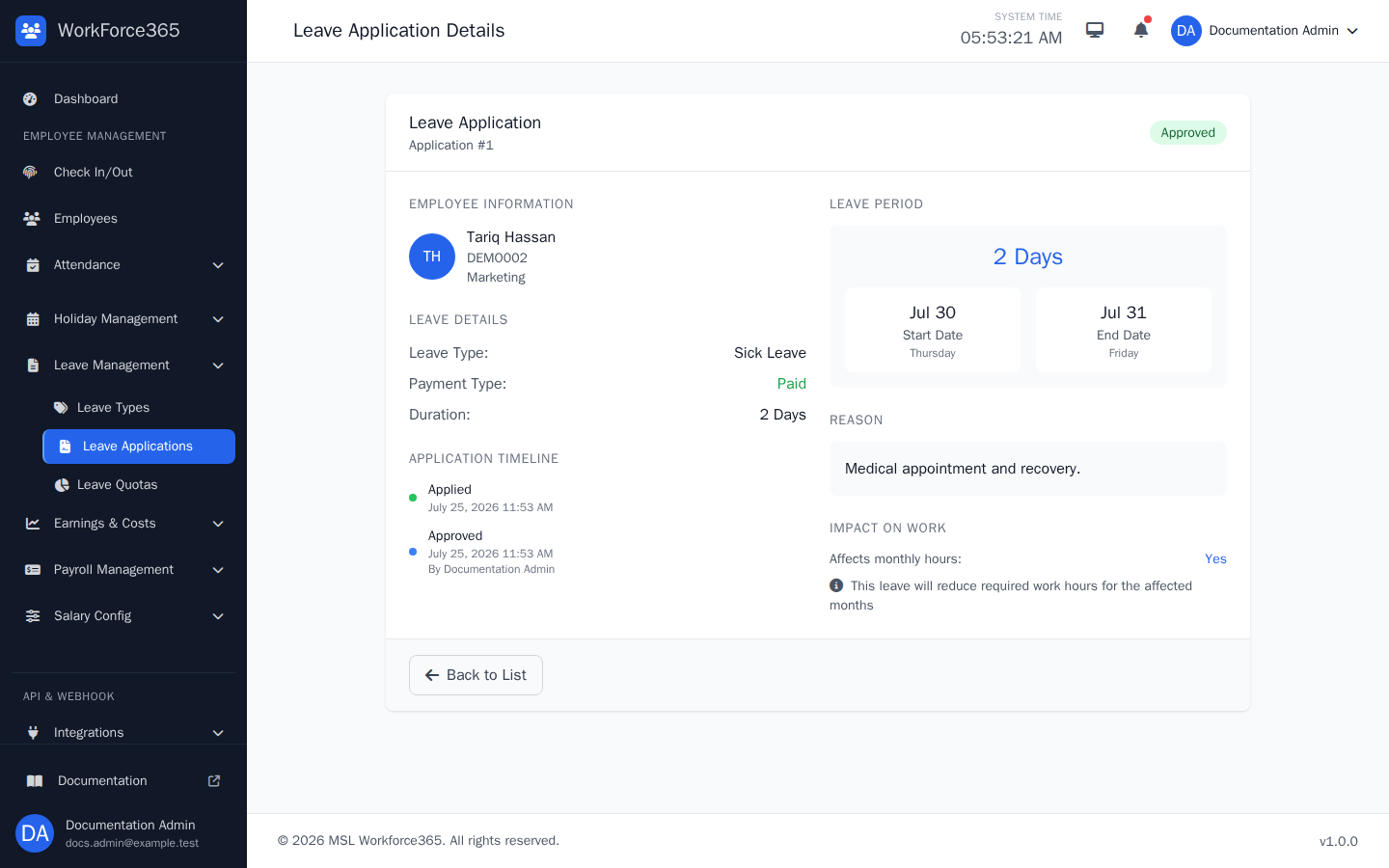
Leave Details
Review the employee, leave type, period, duration, reason, payment type, status, submission time, and approval information in one place. Correction history is shown when a pending request was updated before review.
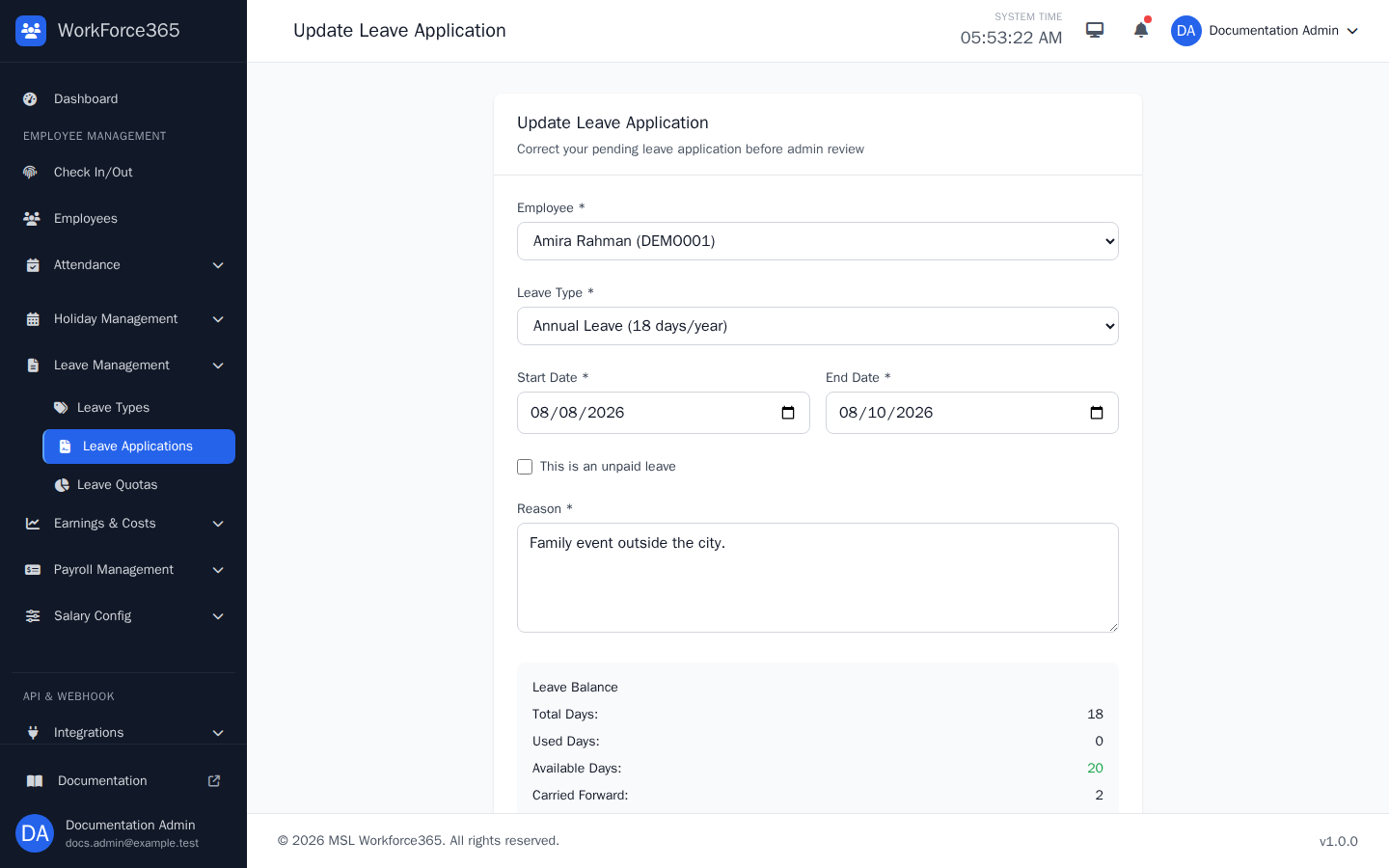
Edit Leave
Pending applications can be corrected before approval. Review the populated employee, leave type, dates, payment option, and reason, then save corrections; approved or rejected requests cannot be edited from this form.
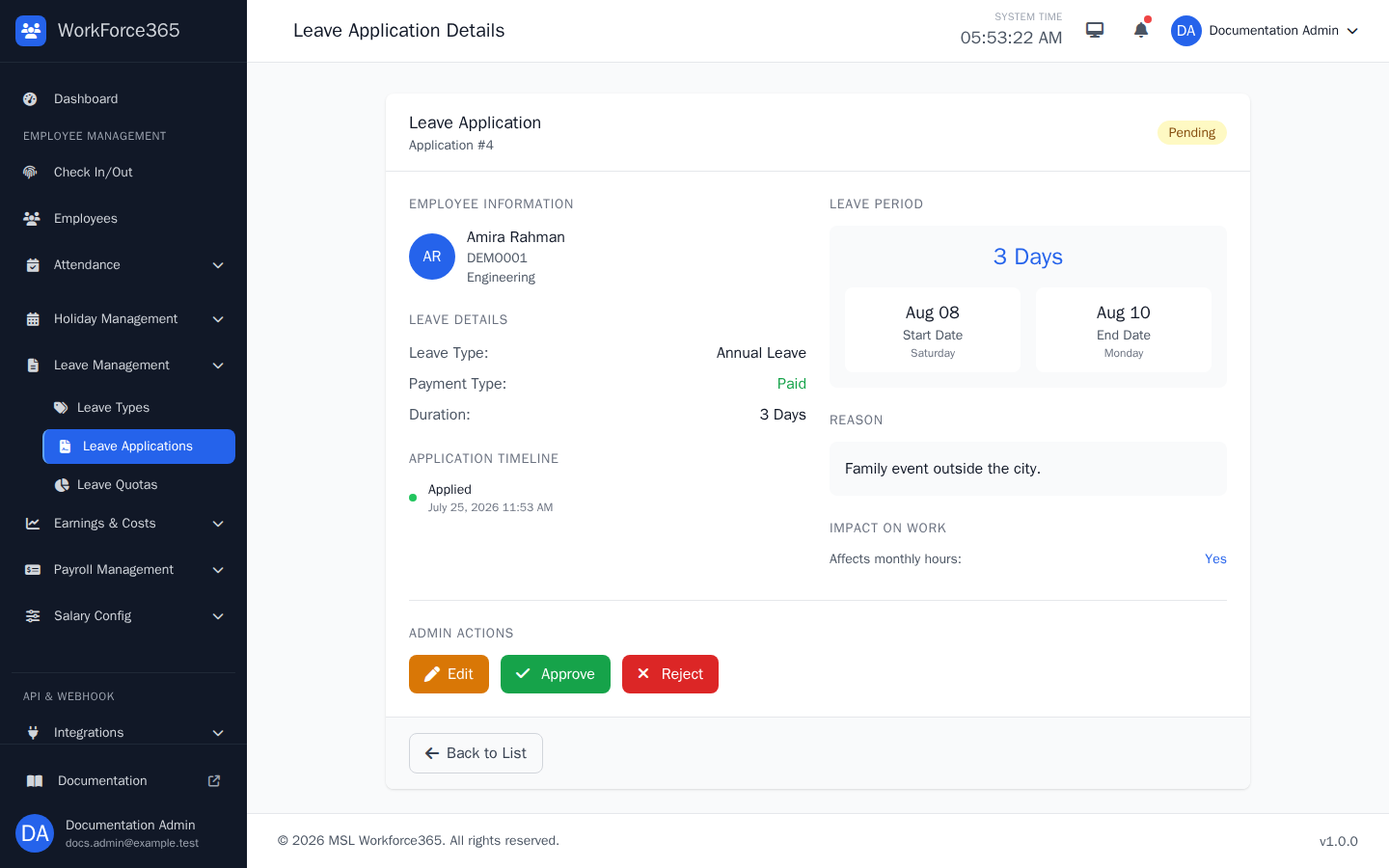
Leave Approval
Authorized managers review a pending request on its detail page. Edit is available for a correction, while Approve and Reject finalize the manager's decision after confirmation.
Leave Settings
Leave types and annual quotas control available balances and how requests are processed.
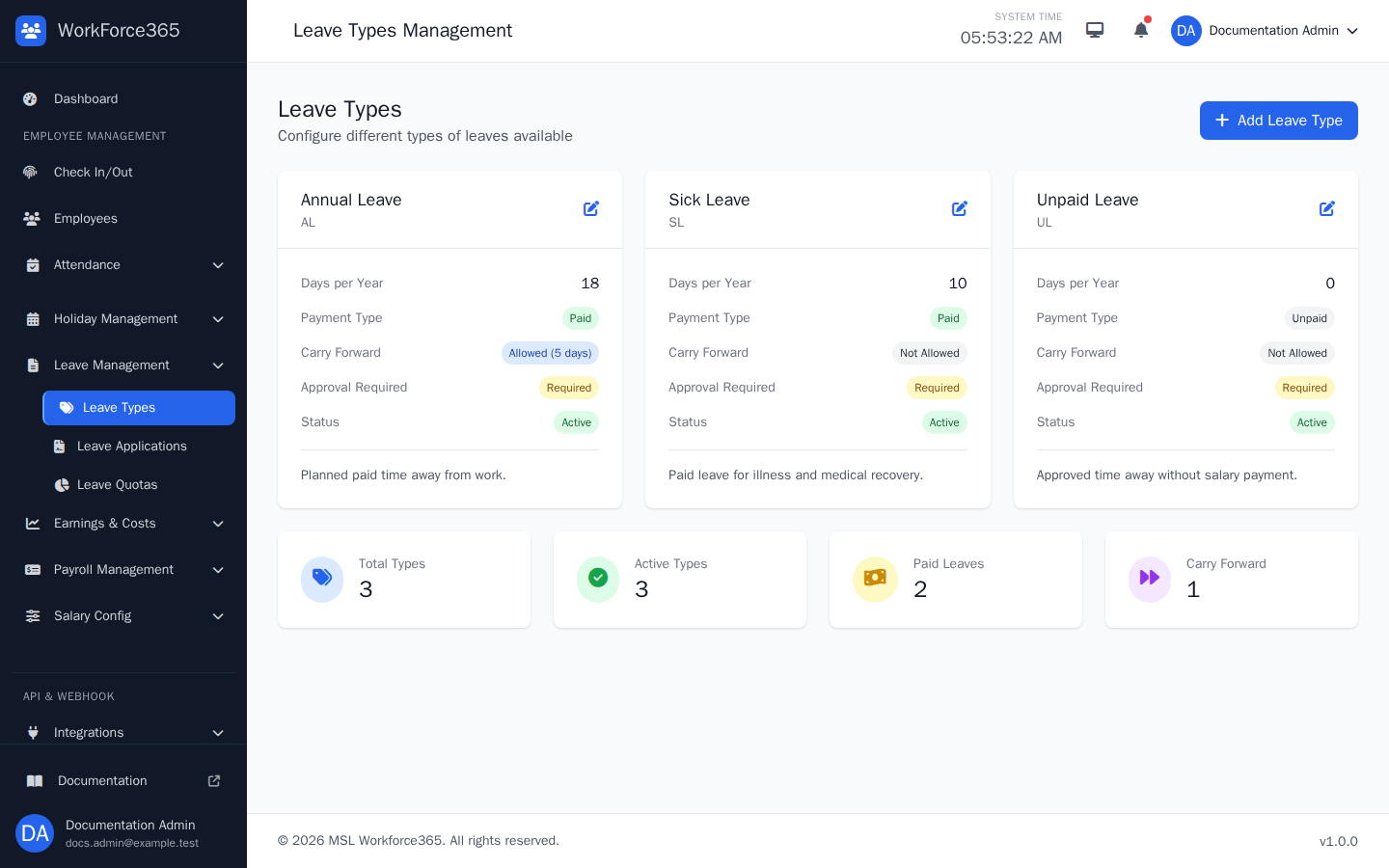
Leave Types
Configure each type's code, annual allowance, paid or unpaid behavior, carry-forward rule, approval requirement, and active status. Authorized administrators can add, edit, or remove a type.
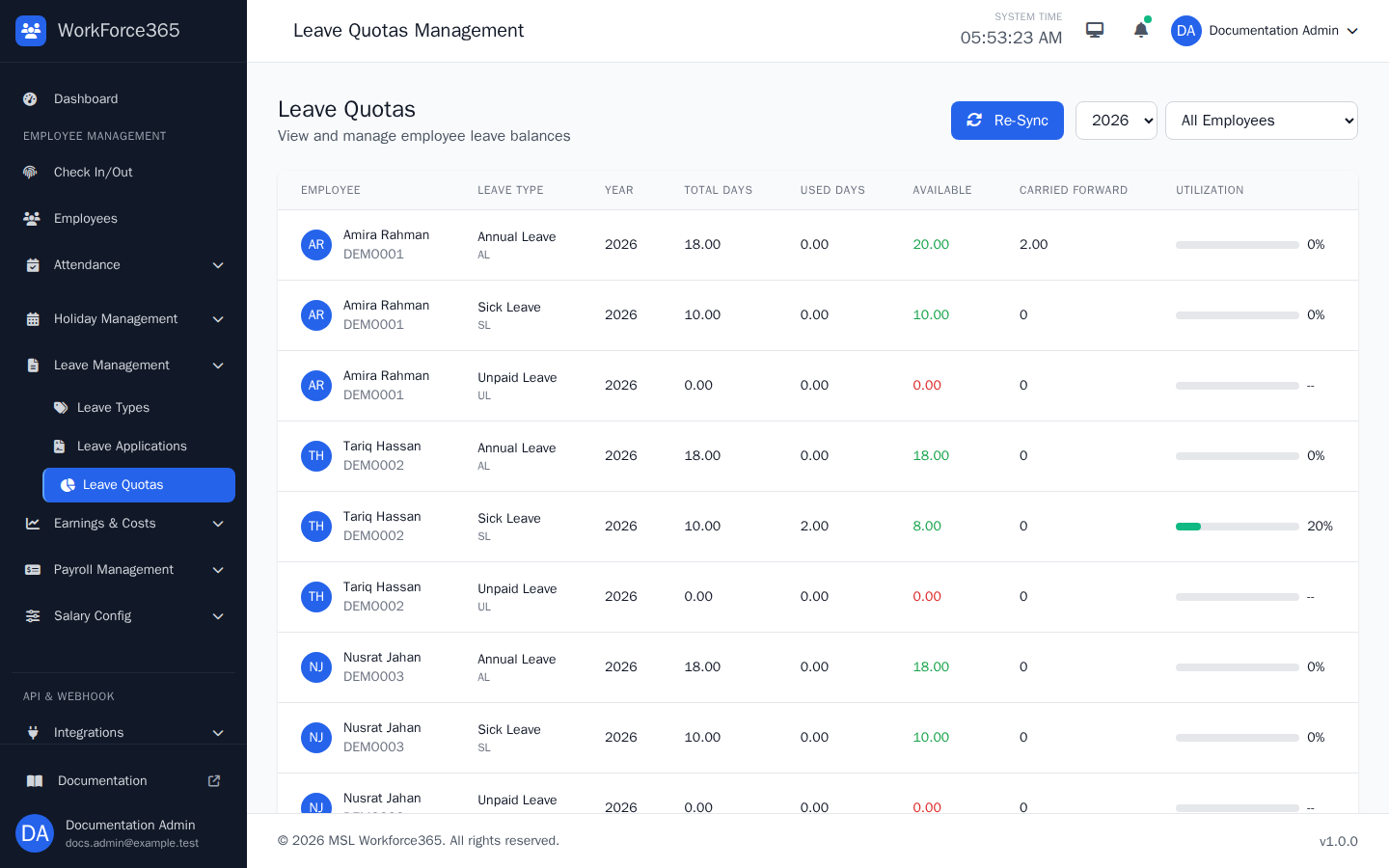
Leave Quotas
Review each employee's yearly allocation, used days, remaining balance, carried amount, and utilization. Filters isolate an employee, leave type, or year, and authorized managers can re-sync totals from the current leave-type settings.