On this page
Still need help?
Our support team is ready to help.
WorkForce365 Documentation
Employees Documentation
Understand the Employees module, its features, record structure, daily workflow, and application screens.
Purpose and Features
The Employees module is the central source for workforce identity and employment information. Each profile connects the employee to attendance, leave, salary, payroll, communication, and reporting workflows.
Personal and Job Information
Maintain employee ID, name, contact details, department, position, hire date, and employment status.
Work and Salary Settings
Set work type, schedule-related values, salary amount, and the assigned salary and performance template.
Recommended Workflow
Create complete records before generating attendance summaries or payroll.
- Create the employee and verify the unique employee ID and login information.
- Complete employment, work type, schedule, and status fields.
- Assign the correct salary and performance template and review calculated component amounts.
- Use inactive status for former employees when records must be retained.
Employee Screens
These screenshots use synthetic documentation records and are generated from the current application templates. Select a screenshot to open the full-size image.
Employees List
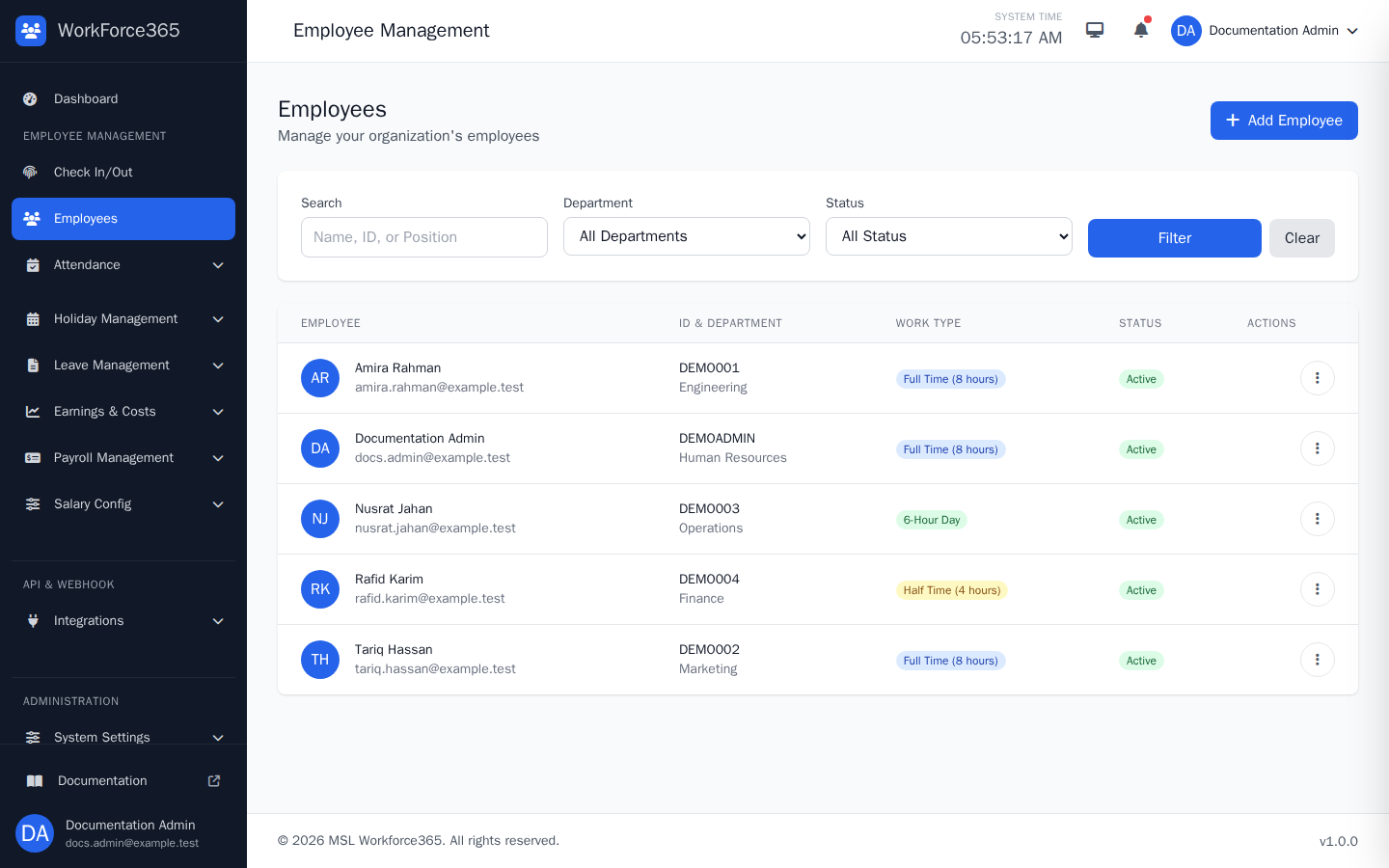
The list provides a searchable and filterable view of employee records. Users with permission can add an employee or open the action menu to view, edit, message, access, or delete an employee.
Add Employee
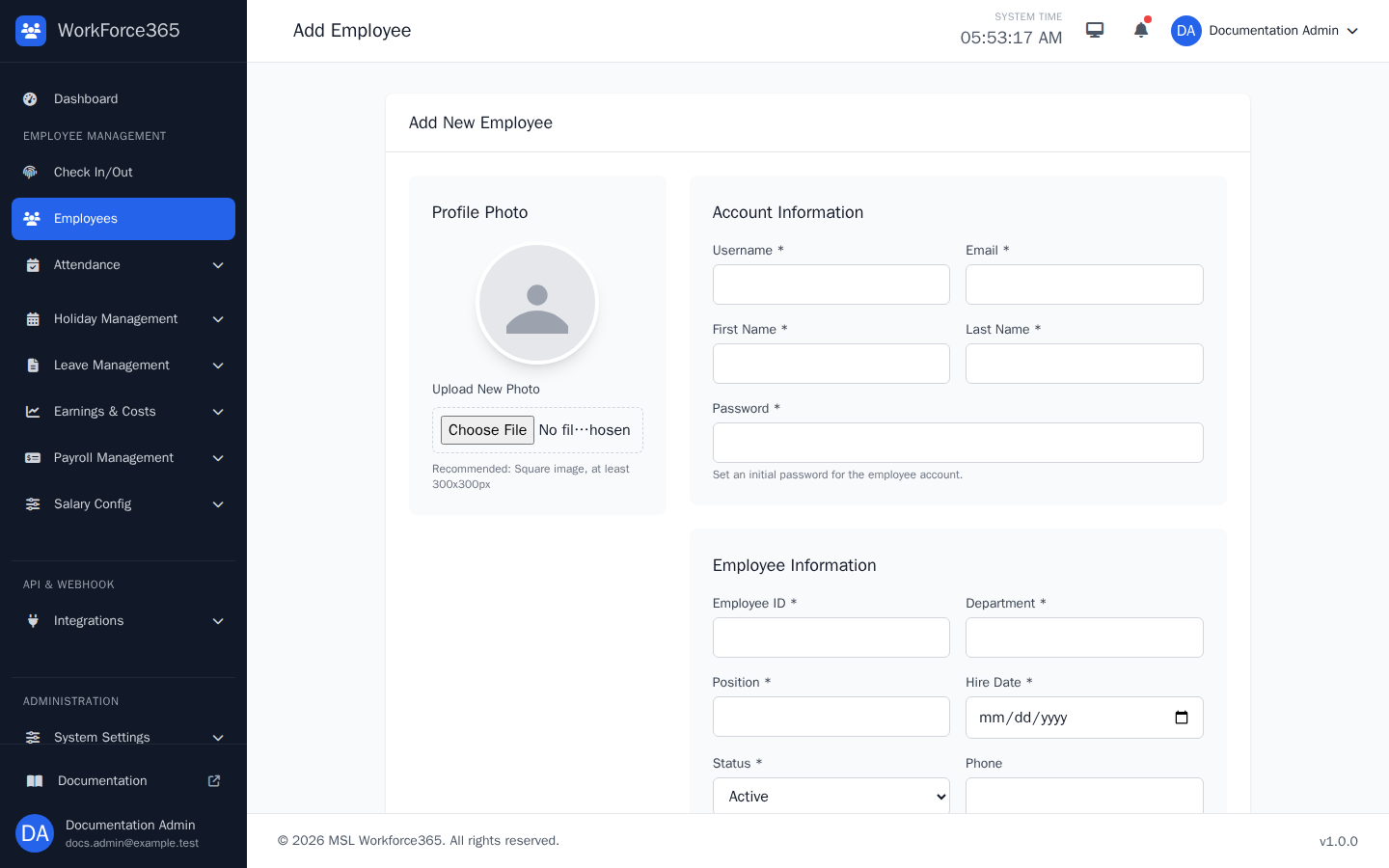
The add form creates the employee account and workforce profile. It collects the profile photo, login information, employee identity, job details, contact data, work configuration, and salary assignment before saving the record.
Edit Employee
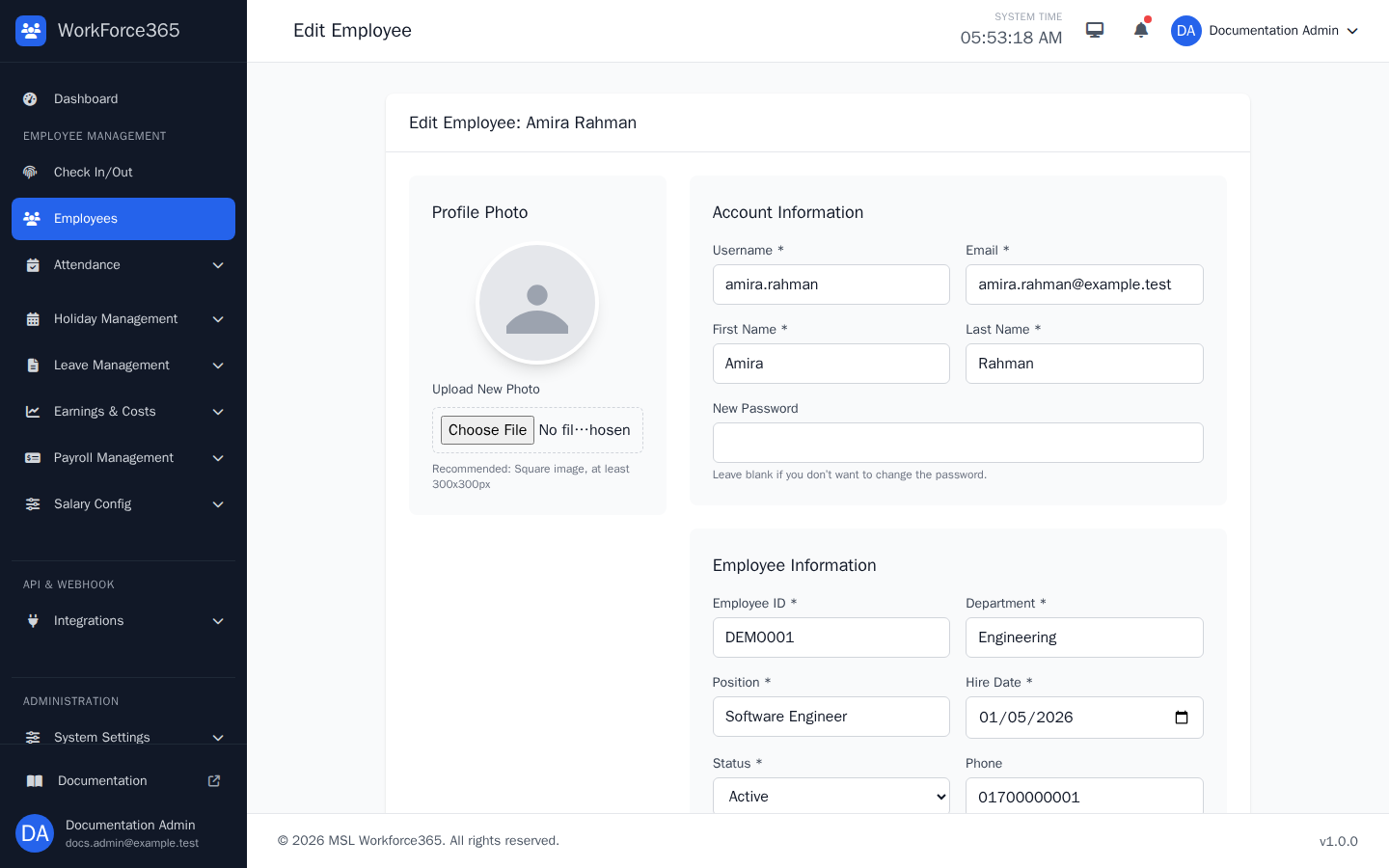
The edit form loads the employee's current values for review and correction. Administrators can update profile, account, employment, schedule, contact, and salary-related settings while leaving the password unchanged when appropriate.