On this page
Still need help?
Our support team is ready to help.
WorkForce365 Documentation
Holiday Documentation
Configure weekly non-working days and manage public, government, company, optional, and recurring holidays.
Purpose and Key Features
The Holiday module defines non-working dates for the organization. Public holidays and weekly holiday settings feed attendance status, required work hours, monthly summaries, leave validation, and other date-based calculations.
Public Holiday Calendar
Create dated public, government, company, and optional holidays for a selected year.
Recurring Holidays
Mark annual holidays as recurring and synchronize eligible records into a new year.
Weekly Holidays
Choose which weekdays are regular non-working days for future attendance calculations.
Calculation Integration
Holiday changes update affected work-hour and attendance records for the relevant period.
Holiday Workflow
Administrators manage future holiday records through a short create, review, update, and removal process.
- Create Holiday: enter the name, type, date, recurrence option, and optional description.
- Edit: open an upcoming holiday from the list and correct any field before the holiday date passes.
- View: review the complete record in the Holiday List or the populated Edit form; no separate Details page currently exists.
- Delete: use the Delete icon and confirm the prompt when an upcoming holiday should be removed.
- Verify the affected attendance and monthly work calculations after a date is created, changed, or deleted.
Holiday List Controls
The list combines yearly totals, filters, badges, and record actions in one operational view.
Year Filter
Select the calendar year used by the summary cards, timeline, table, and type breakdown.
Holiday Type Filter
Narrow the table to Public, Government, Company, or Optional holidays; Clear removes the type filter.
Search Options
There is no separate free-text search field. Use Year and Holiday Type to locate records in the ordered calendar list.
Badges
Colored type badges identify the holiday category, while Recurring and One-time badges explain repetition behavior.
Status
Public holidays do not have active or inactive status badges. Date and recurrence determine availability and behavior.
Action Buttons
Add Holiday creates a record. Edit and Delete appear for eligible future dates, and Sync Recurring Holidays copies annual records forward.
Public Holiday Screens
These screenshots use synthetic documentation records and are generated from the current Holiday application templates. Select a screenshot to open the full-size image.
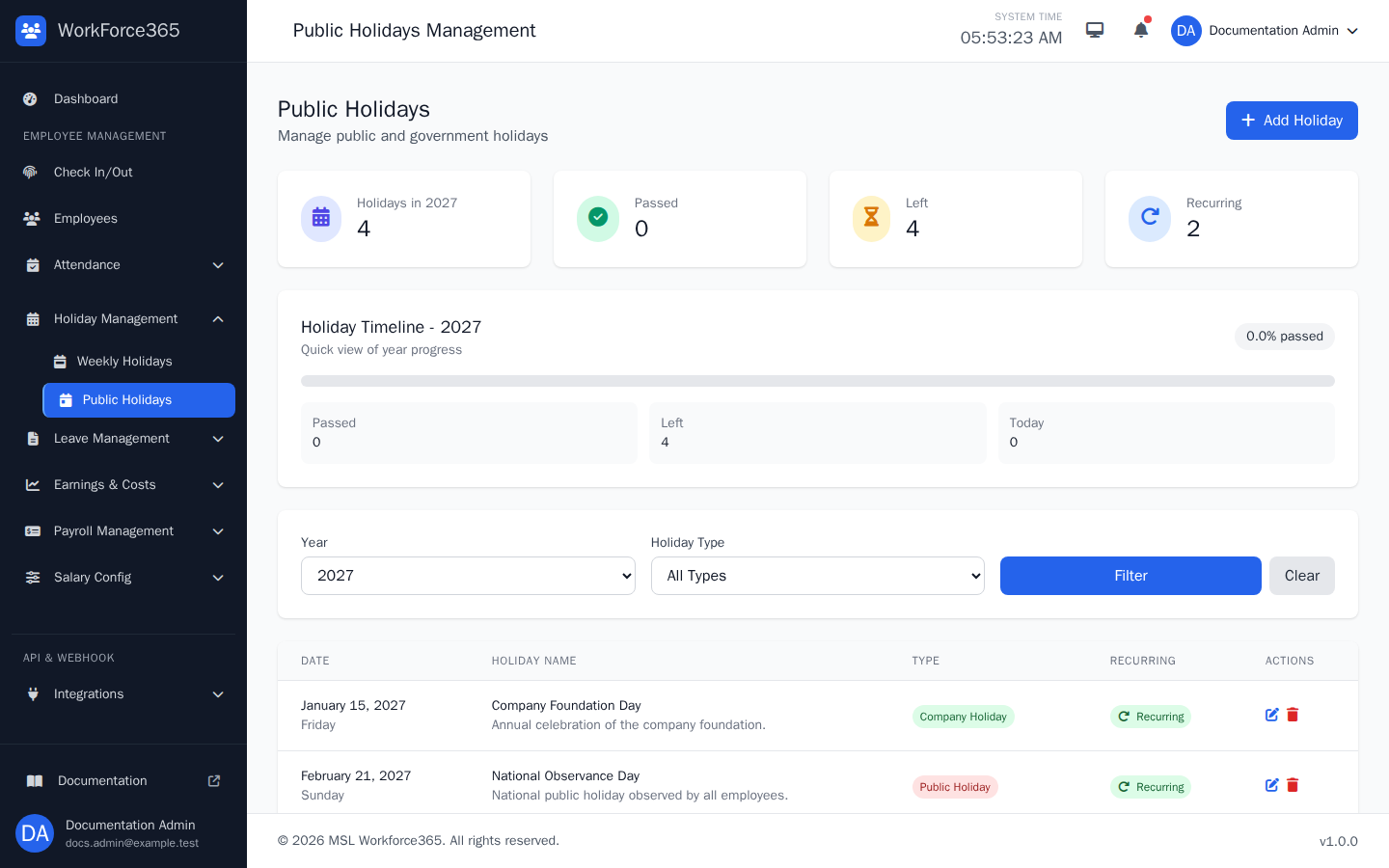
Holiday List
Review the selected year's holiday calendar and filter it by holiday type. Each row displays the date, name, description, type, recurrence state, and the Edit or Delete actions currently permitted for that date.
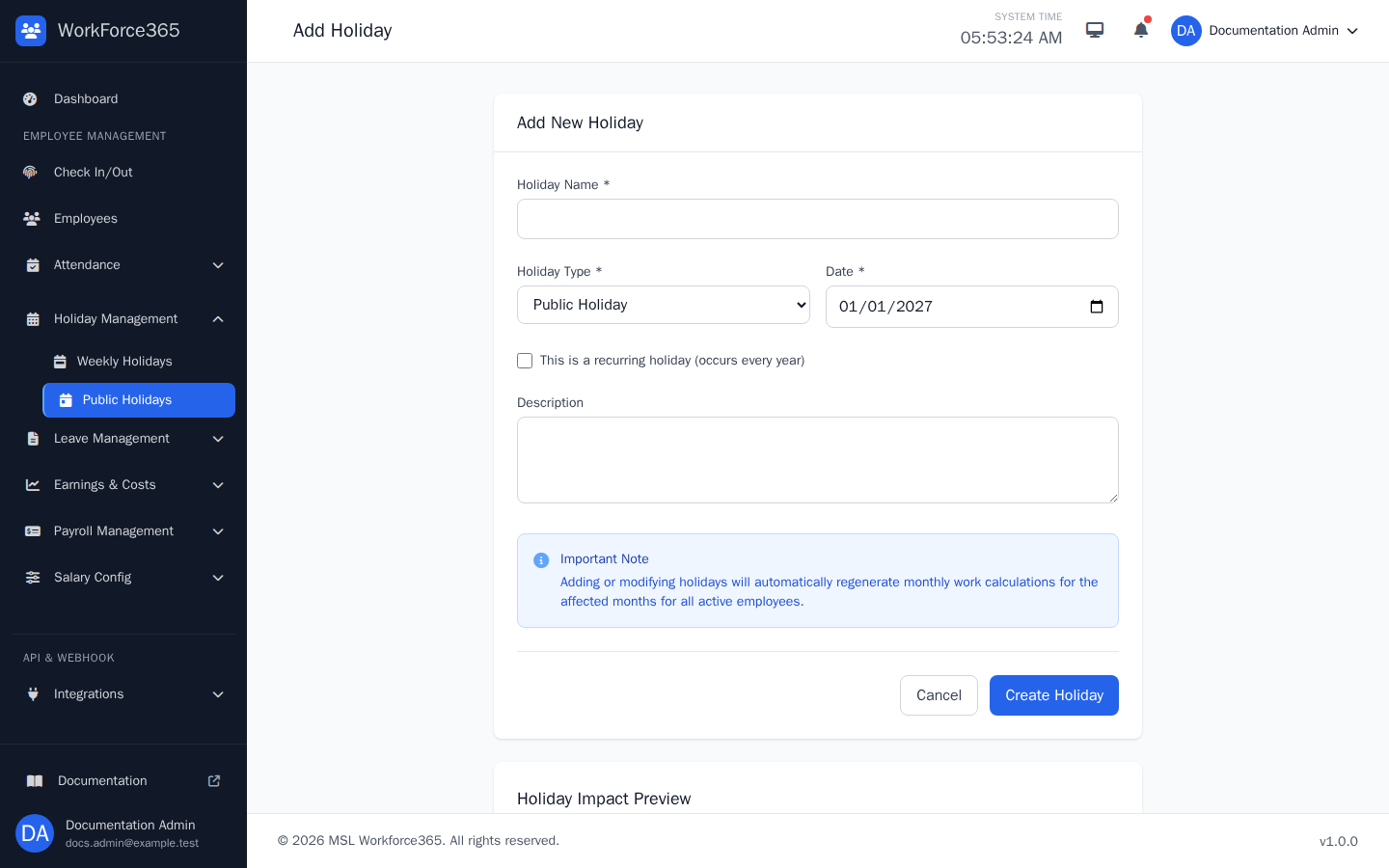
Add Holiday
Create a holiday with its name, category, date, recurrence rule, and description. The impact panel identifies the weekday and monthly calculation period before the administrator saves the record.
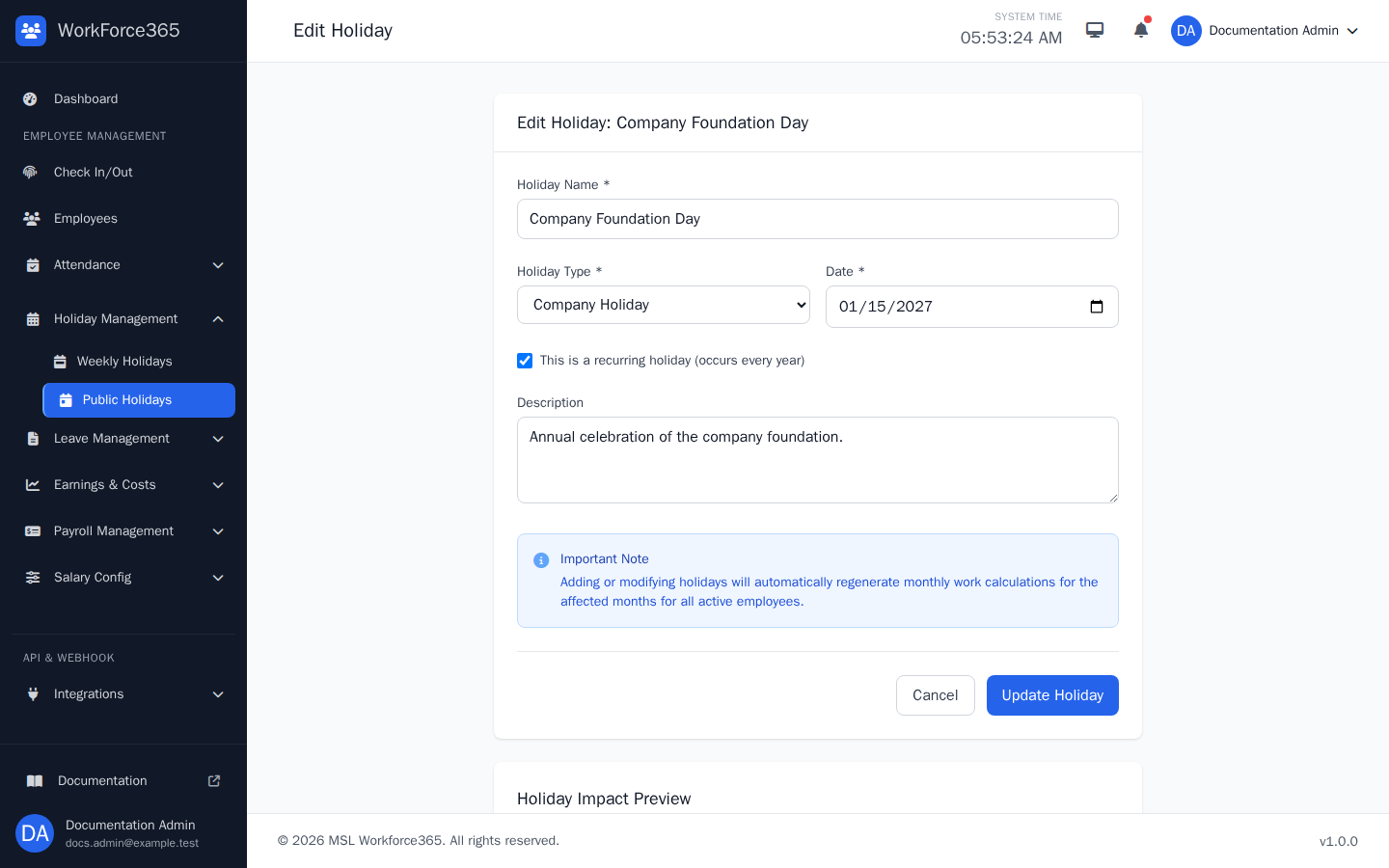
Edit Holiday
The Edit page loads every stored field for a future holiday. It also serves as the complete record review screen because the current module has no separate Holiday Details page.
Weekly Holiday Settings
Weekly settings define recurring non-working weekdays separately from dated public holidays.
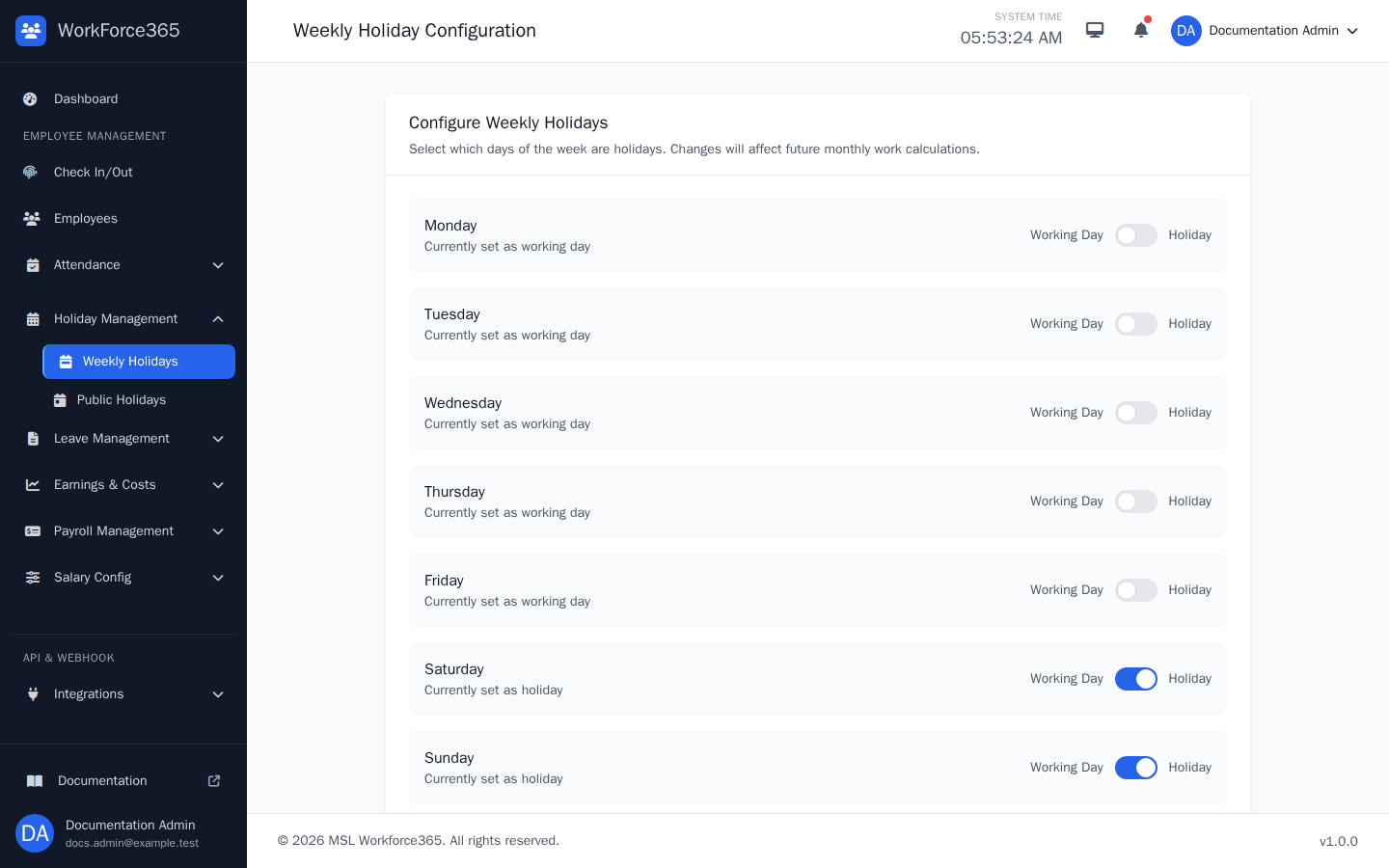
Weekly Holidays
Toggle each weekday between Working Day and Holiday, review the current weekly summary, and save the configuration. Saving regenerates current-month required work calculations for active employees.